Skip to content

Enterprise rapid prototyping

From product idea
to working prototype.

Build responsive applications, review them with your team, and bring code, documents, and evidence into one governed handoff.

  • Private projects
  • Admin-managed AI
  1. Plan
  2. Design
  3. Build
  4. Review
  5. Document
Canvas / prototype Explore the idea
Meridian · illustrative prototype, sample content
01
A working application

Real routes. Responsive previews.

02
A shared understanding

Documents and decisions in context.

03
A governed handoff

Code, review, and delivery evidence.

From intent to evidence

Every step moves
the idea forward.

One connected workflow. Something concrete at every stage.

01 / 06

Start with the work people need to do.

Describe your product, users, workflows, and constraints in plain language. Give Canvas the context to make the first version useful.

Product briefIntent · roles · constraints
Meridian · illustrative sample project

Choose a step to explore. The walkthrough uses sample content, not a live session.

A first version with a bigger purpose

Build it. Understand it.
Take it forward.

The prototype, the conversation, and the delivery package belong together.

An application you can explore

Bring the whole workflow into focus.

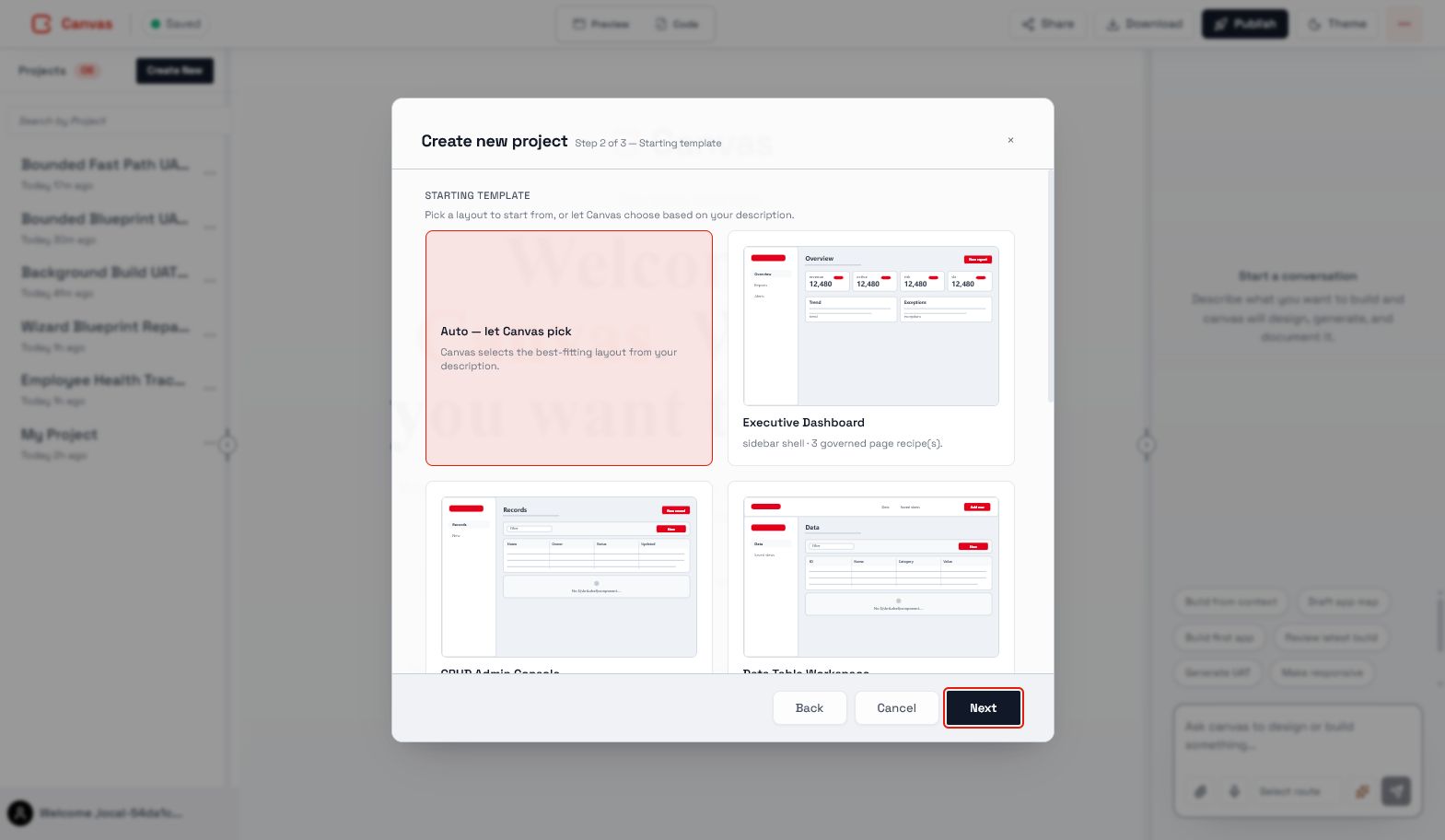
Move from a product brief to connected screens, routes, and responsive behavior. Use enterprise templates and design-system rules to give the first version a consistent foundation.

  • Multi-route applications
  • Sandboxed runtime
  • Desktop, tablet, and mobile previews
Canvas project creation with enterprise starting templates
Inside Canvas · enterprise project creation

A team on the same page

Turn feedback into a better next version.

Keep product, design, and engineering close to the work. Review the prototype, discuss the exact element, and keep delivery documents connected to the current application.

  • Anchored comments and review threads
  • Owner-approved collaborative editing
  • Versioned PRD, TRD, and engineering plans
Illustrative sample project

A handoff with context

Show the work behind the decision.

Bring validation results, design checks, review decisions, and source changes together. Give the receiving team something concrete to inspect and take forward.

  • Visual QA and Design Audit
  • Runtime and build validation
  • Governed GitHub handoff and rollback records
Illustrative sample project

Confidence comes from control

Your ambition.
Your boundaries.

Move the idea forward with access, models, design rules, and delivery decisions under enterprise control.

Sign in to Canvas

Access with intention

Project-scoped access, enterprise SSO, RBAC, and owner-approved review and editing.

AI under your control

Admin-managed models, structured tool calls, and approval-aware agent operations.

Your design system

Enterprise templates, company brand assets, and versioned project design bindings.

Evidence before delivery

Review decisions, validation results, audit trails, and governed release gates.

A shared point of view

Different expertise.
One concrete conversation.

Product

Explore scope before committing a delivery team.

Design

Review real behavior, states, and responsive layouts.

Engineering

Receive code, architecture context, and build evidence.

Governance

Inspect access, approvals, and delivery controls.

A few useful answers

Canvas,
in plain language.

What it does. How teams use it.
Where you stay in control.

What is Canvas?

Canvas is an enterprise rapid prototyping platform. It turns a product brief into a working application prototype and connects it with delivery documents, team review, validation evidence, and an engineering handoff.

What can I build with Canvas?

Canvas helps teams prototype multi-route business applications and internal workflows with responsive desktop, tablet, and mobile previews. Generated applications run in a sandbox so teams can inspect behavior before handoff.

Can Canvas create a PRD and TRD from a prototype?

Yes. Canvas derives a Product Requirements Document, Technical Requirements Document, and Engineering Plan from the generated application and its project context. Teams can edit, review, and version those documents.

How do teams review and co-edit a project?

Teams can share View access, invite authenticated reviewers for anchored comment threads, or grant owner-approved Edit access for collaborative code editing with presence and revision-aware conflict handling.

How does Canvas validate a prototype?

Canvas provides browser-based Visual QA, source-aware Design Audit checks, responsive preview testing, sandboxed runtime and build validation, and review evidence. These checks inform a review decision; they do not certify compliance or guarantee production readiness.

Who controls models, access, and delivery?

Administrators manage models, tools, templates, and policy. Project access and consequential operations follow configured permissions and approvals. GitHub handoff and customer-managed delivery environments depend on enabled adapters and policy.

Make the next idea tangible

Great work starts
with a first version.

Bring your brief. Give your team something to build on.

Sign in to Canvas